GaN vs Regular Charger: Which Should You Choose in 2026?
If the charger drawer in your home looks like a box of tangled noodles, this beginner-friendly guide is for you: what GaN is, when it beats a regular charger, and what to check before spending money.

Raise your hand if this sounds familiar: one charger for the phone, another for the tablet, a third for the laptop — and when you travel, the bag can barely zip. Then “GaN chargers” started showing up everywhere with big claims, and you wondered whether it’s worth switching or just another tech trend to ignore.
After living with one for a while, here is the balanced answer: GaN chargers are genuinely convenient, but they’re not magic. Whether you should switch comes down to a few simple questions. Let’s walk through them so you don’t waste money.
In this guide
- What is a GaN charger?
- GaN vs regular charger: where the difference shows
- Check 1: Is the wattage right for your devices?
- Check 2: Ports and power-sharing rules
- Check 3: Protocol compatibility (PD, PPS, SCP…)
- Check 4: Don’t chase bargain-bin “GaN”
- Do you even need GaN? Honest answer
- Bonus: chargers with a display
- FAQ
What is a GaN charger?
GaN stands for gallium nitride, a semiconductor material — same job as the silicon chips inside regular chargers, but from a newer generation. A charger’s real task is converting the high-voltage AC from your wall into the low-voltage DC your phone wants. That conversion loses some energy, and the loss shows up as heat.
Gallium nitride tolerates higher voltage and switches faster than silicon, so a charger built around it loses less energy and needs smaller internal parts. The results are the two things everyone quotes: smaller and cooler. At equal power, GaN chargers can be 30–50% smaller than regular ones — some are lipstick-sized — and they stay much cooler, especially with several devices plugged in.
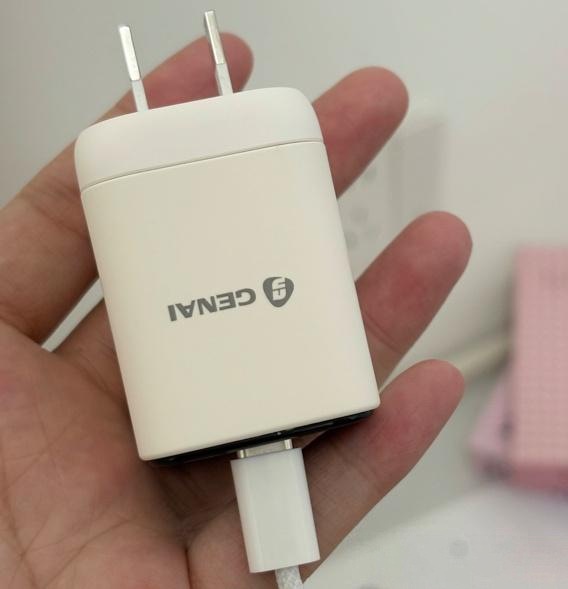
GaN vs regular charger: where the difference actually shows
| Regular (silicon) charger | GaN charger | |
|---|---|---|
| Size | Usually bulky; can block adjacent sockets on a power strip | 30–50% smaller at the same wattage |
| Weight | Heavy | Light |
| Heat | Warm to hot under sustained load | Runs noticeably cooler |
| Multi-port models | Rare at higher wattage | Common, with smart power sharing |
| Price | Cheap | A little more — falling every year |
The catch worth repeating: speed itself is not the headline. A 65 W silicon charger and a 65 W GaN charger fill a phone at the same pace. GaN’s win is doing it without the brick size and without the heat.
Check 1: Is the wattage right for your devices?
Don’t buy on the word “GaN” alone — buy on wattage. Quick reference:
- Phones: 20–30 W is generally plenty.
- Thin-and-light laptops: 45 W is the practical starting point.
- Gaming / creator laptops: 100 W or more.
Too little power and a laptop charges at a crawl. Way too much power and you’ve paid extra for watts a phone can never draw. Match the charger to the most demanding device you plug in.
Check 2: Ports and the power-sharing fine print
Multi-port GaN chargers are great — with one catch: when you plug in several devices, the wattage gets redistributed. A 65 W dual-port charger might deliver 65 W through one port but split to something like 45 W + 18 W with two devices attached. Read the allocation table before you buy, or you may discover your laptop slows down exactly when the phone joins in.

Check 3: Protocol compatibility matters more than people think
Fast charging isn’t one standard — it’s a family: PD, QC, PPS, plus brands’ private protocols (SCP for Huawei, SuperVOOC for OPPO/OnePlus, and so on). If a charger doesn’t speak your phone’s private protocol, it falls back to a slower generic profile. Some Android flagships that charge at 100 W+ with their original brick drop to 20–30 W on an incompatible third-party GaN charger. iPhone users have it easy — PD is nearly universal — but Android owners should check the supported protocols carefully.
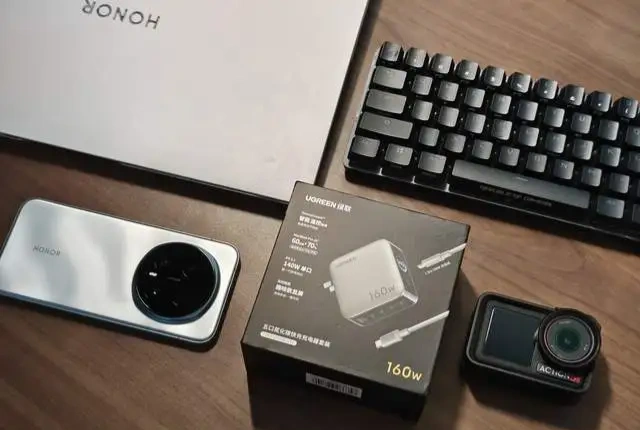
Check 4: Don’t chase bargain-bin “GaN”
A charger sits on your wall for years. A badly made one doesn’t just charge slowly — it can overheat, bulge or worse. GaN components have gotten cheaper, but reputable 65 W multi-port models still have a price floor. A $15 “120 W GaN” mystery box is exactly that: a mystery. Stick with brands that list real specs, carry safety certification and have reviews you can trust.
Do you even need GaN? The honest answer
GaN earns its keep when…
- You travel and want one charger for phone + laptop + everything else
- You want one tidy unit to replace several desk chargers
- Cooler, safer-feeling overnight charging matters to you
Skip it when…
- You charge one phone in one place and never move it
- Your current charger does the job with no complaints
- You’re happy carrying separate laptop and phone chargers
If you do switch, the sweet spot for most people is a 45–65 W multi-port GaN charger — enough for phones and ultrabooks, small enough to forget it’s in the bag. UGREEN’s Nexode range is a solid place to start: proper third-generation GaN, clear per-port power sharing and foldable plugs on its travel models.
Shop UGREEN 45W–65W GaN Chargers →
Bonus: what about GaN chargers with a display?
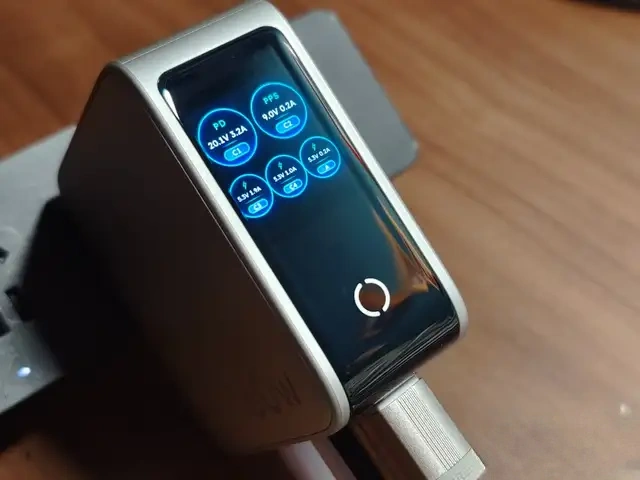
One trend worth knowing about: some GaN chargers now carry a small status display. Plug a phone in and the screen shows the live charging wattage (10 W, 27 W, 45 W…), the case temperature, and sometimes even the name of the connected device. It sounds gimmicky until you realise how often we guess whether fast charging actually started. For anyone who likes their gadgets to be transparent, these displays are quietly addictive — and the smart temperature readouts make unattended overnight charging feel safer.
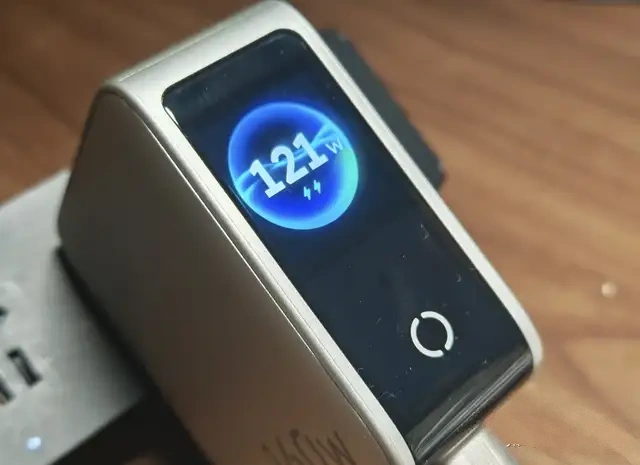
Want a hands-on recommendation in this category? Our UGREEN 160W charger review covers a 5-port model with exactly this kind of display — overkill for a single phone, brilliant for a full desk.
Frequently asked questions
Is a GaN charger worth it for just a phone?
Not really — a normal charger does the job. GaN’s value appears when you consolidate several devices into one charger or need portability.
How small is a GaN charger compared to a regular one?
At the same wattage, typically 30–50% smaller and much lighter. High-wattage GaN chargers (100 W+) can be a fraction of the size of their silicon equivalents.
Why won’t my Android phone fast-charge from every GaN charger?
Private fast-charge protocols (SCP, SuperVOOC, etc.) need support from the charger. If the charger lacks your brand’s protocol, charging falls back to a slower generic speed.
What wattage GaN charger should I buy?
For most people, 45–65 W with 2–3 ports is the sweet spot: fast phones and tablets, portable, and it tops up thin laptops. Choose 100 W+ only if you regularly charge big laptops.
Final word
Charging has quietly moved from “one brick per device” to “one charger for everything” — and that shift is a kind of decluttering you feel every single day. GaN isn’t for everyone, and no charger is “the best” in the abstract. But if your drawer is a tangle and your bag is heavy, one good GaN charger is one of the simplest, best-value decluttering upgrades in tech right now.
Still comparing models? Start with our reviews: UGREEN 65W (travel sweet spot) or UGREEN 160W (desk powerhouse).